FOCUSED WRITING.
OFFLINE BY DESIGN.
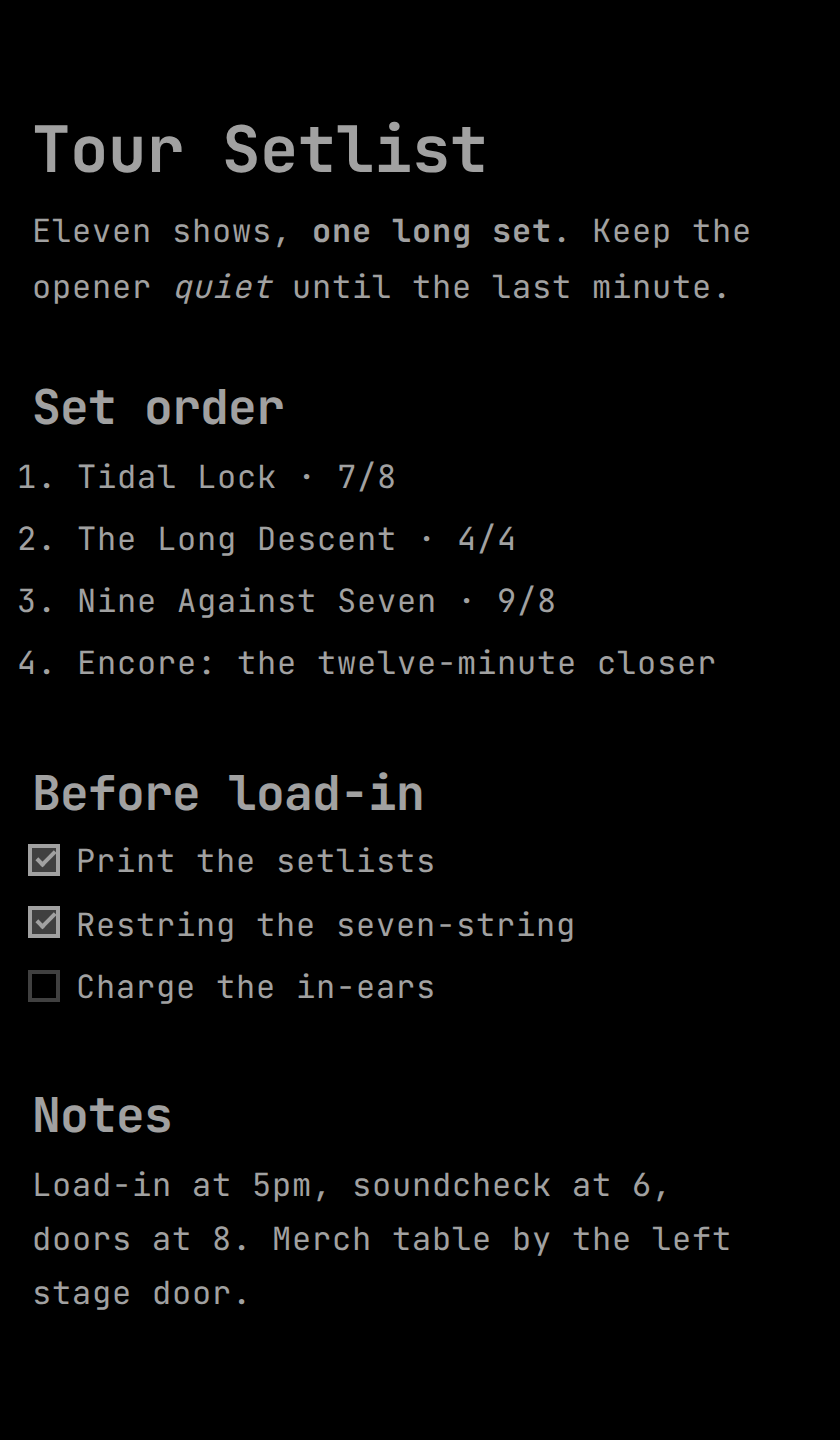
NeoGlint is a minimal, powerful Mindspace Manager that stays out of your way. No cloud syncing, no distractions. Just you and your words, stored locally on your machine.
COMPLETELY OFFLINE
Your data never leaves your computer. We don't have servers, so we can't lose your work.
NATIVE PERFORMANCE
Built using the system's native webview for a lightweight footprint and blazing fast startup.
DISTRACTION FREE
A clean, brutalist interface designed to keep you focused on the content, not the chrome.
POWERFUL EDITING CAPABILITIES
Everything you need for structured writing, without the bloat of traditional word processors.
Rich Formatting
Bold, italic, underline, and strikethrough with live preview.
Smart Tables
Fully editable tables with resizable columns and row management.
Nested Lists
Clean bulleted and ordered lists that support deep nesting.
Task Lists
Interactive checklists to manage your writing goals.
Code Blocks
Syntax-highlighted code blocks for technical documentation.
Markdown Export
Export any space to a clean Markdown file whenever you're ready.
Shortcuts
Extensive keyboard shortcut library for power users.
Auto-Centering
Cursor auto-centering keeps your writing in the sweet spot.
Unsaved Drafts
Hit Ctrl+T to start writing instantly — no naming required. It's safe on disk even if the app crashes, until you decide to keep it.
Local Images
Paste an image URL, paste a screenshot, or drag a file in — every image downloads and saves locally, automatically.
Folders & Archive
Organize spaces into folders, and archive the ones you're done with without deleting them.
Quick Switcher
Jump to any space instantly with Ctrl+Shift+F, searching names and content alike, with matching lines highlighted right in the results.
YOUR WORKSPACE, YOUR RULES
CREATE A SPACE
Organize your projects into "Spaces", each a local file on your system — or press Ctrl+T to start writing immediately and name it later.
WRITE NATURALLY
Use standard Markdown syntax or the intuitive floating toolbar for formatting.
EXPORT & SHARE
When you're done, export to the format you need or just keep the raw Markdown.
Visual Overview
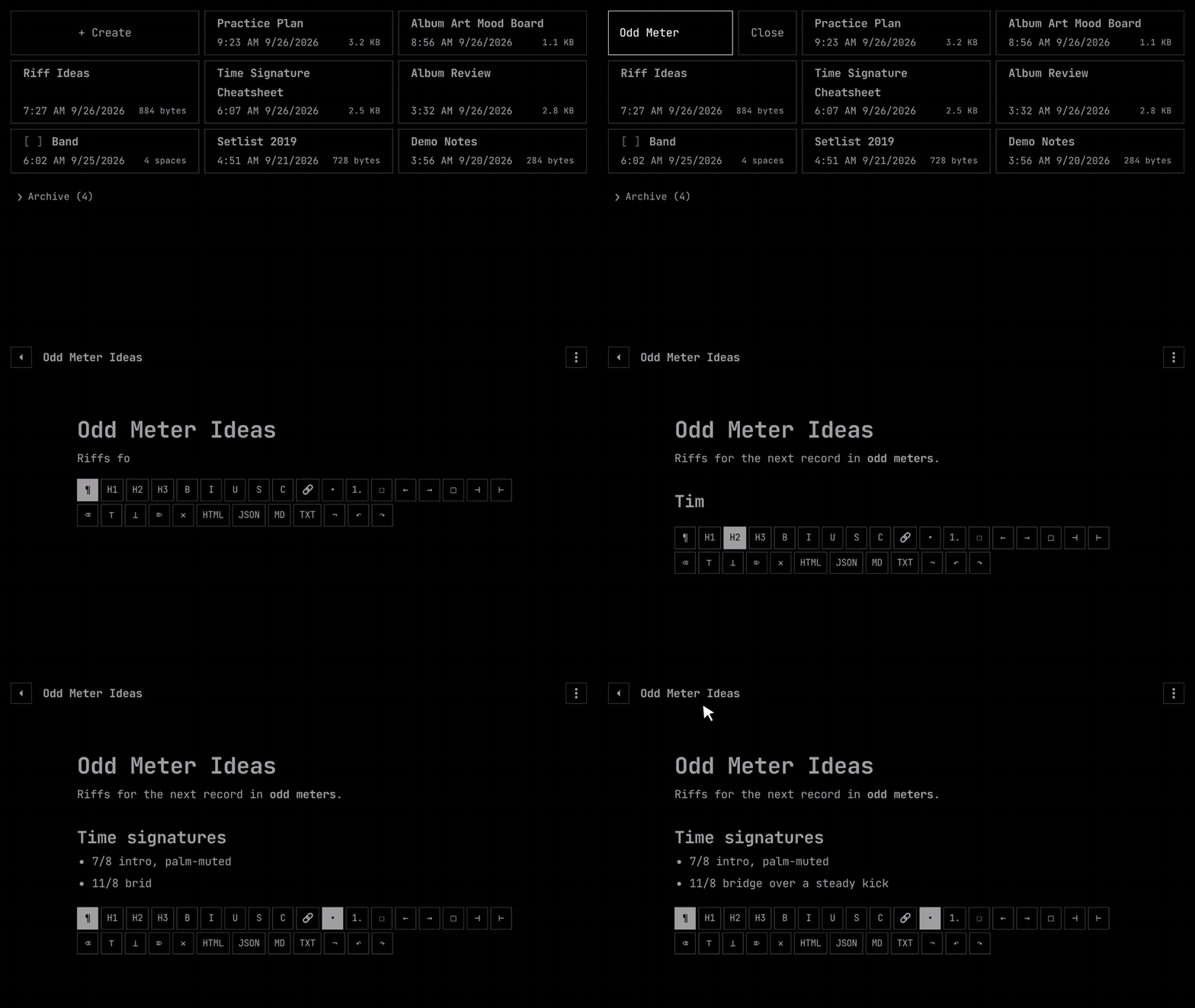
Sample content · the real app
DESIGNED FOR EVERY WRITER
Developers
Write technical docs and READMEs with ease.
Students
Take structured notes during lectures offline.
Authors
Draft your next novel in a distraction-free environment.
Thinkers
Brainstorm ideas and organize them into clear spaces.
COMPLETELY FREE.
NeoGlint is free software by Vision Creative Studio, dedicated to providing a superior writing experience for everyone. No subscriptions, no hidden fees, no data harvesting.
FREQUENTLY ASKED QUESTIONS
READY TO WRITE?
Join thousands of writers who have found their focus with NeoGlint. Download the latest version and start your first space today.